People can now find you by state, by who you work with, by employer, or by answering six questions. Here's how it works, and the two minutes that put you in front of them. Advicer.bio | New on Advicer.bio Find an advisor is live. Here’s how people find you.People looking for a financial advisor can now search Advicer.bio by state, by who an advisor works with, by employer, or by answering six quick questions. Every result links to the advisor’s page, with their firm, CFP® status and SEC record. Here’s how each part works, how matching decides who comes first, and the two minutes in your editor that puts you in front of the right people. | 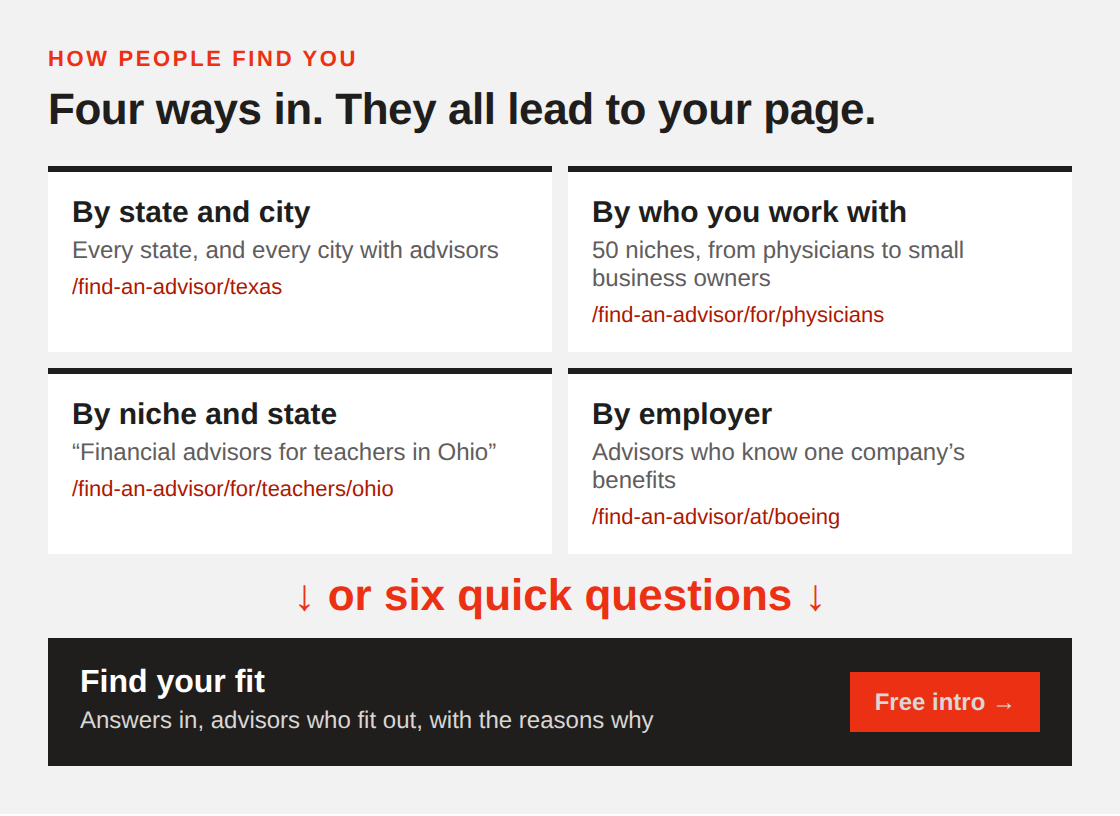 | 1. By state and cityEvery state has its own page, and so does every city with advisors in it. Each advisor is listed with their firm, CFP® status, how their firm charges (from its Form ADV), and a link to their SEC record. People can filter to CFP® professionals, advisors who offer financial planning, fee types, or advisors who answer messages. | 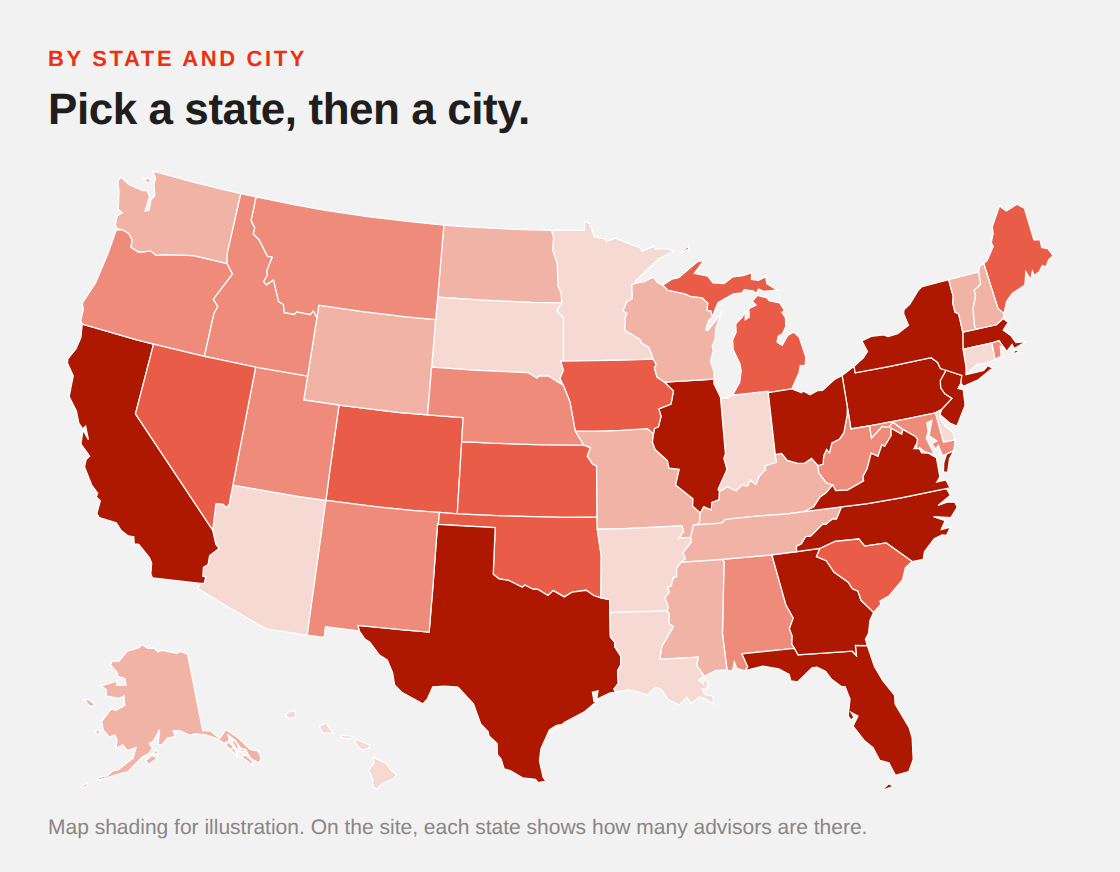 | 2. By who you work with50 niches in five groups: life stage, work and career, money situation, planning needs, and family and community. Physicians, teachers, federal employees, business owners selling their company, divorce, special needs families and more. Each niche has its own page, plus a page for every state where it has advisors, like Financial advisors for physicians. Each niche page also shows how many people work in those jobs in that state, from the Bureau of Labor Statistics. That’s a quick way to see where the demand is. | 3. By employerIf many of your clients work at one company, hospital system or school district, list it on your page. Each employer gets a page, like “Financial advisors for people at Boeing,” and you move up in Find your fit for people who work there. Each page says advisors add this themselves and aren’t affiliated with the employer. | 4. Find your fit: six quick questionsFor people who’d rather answer than browse. Every question can be skipped, and nothing is saved with anyone’s name. | 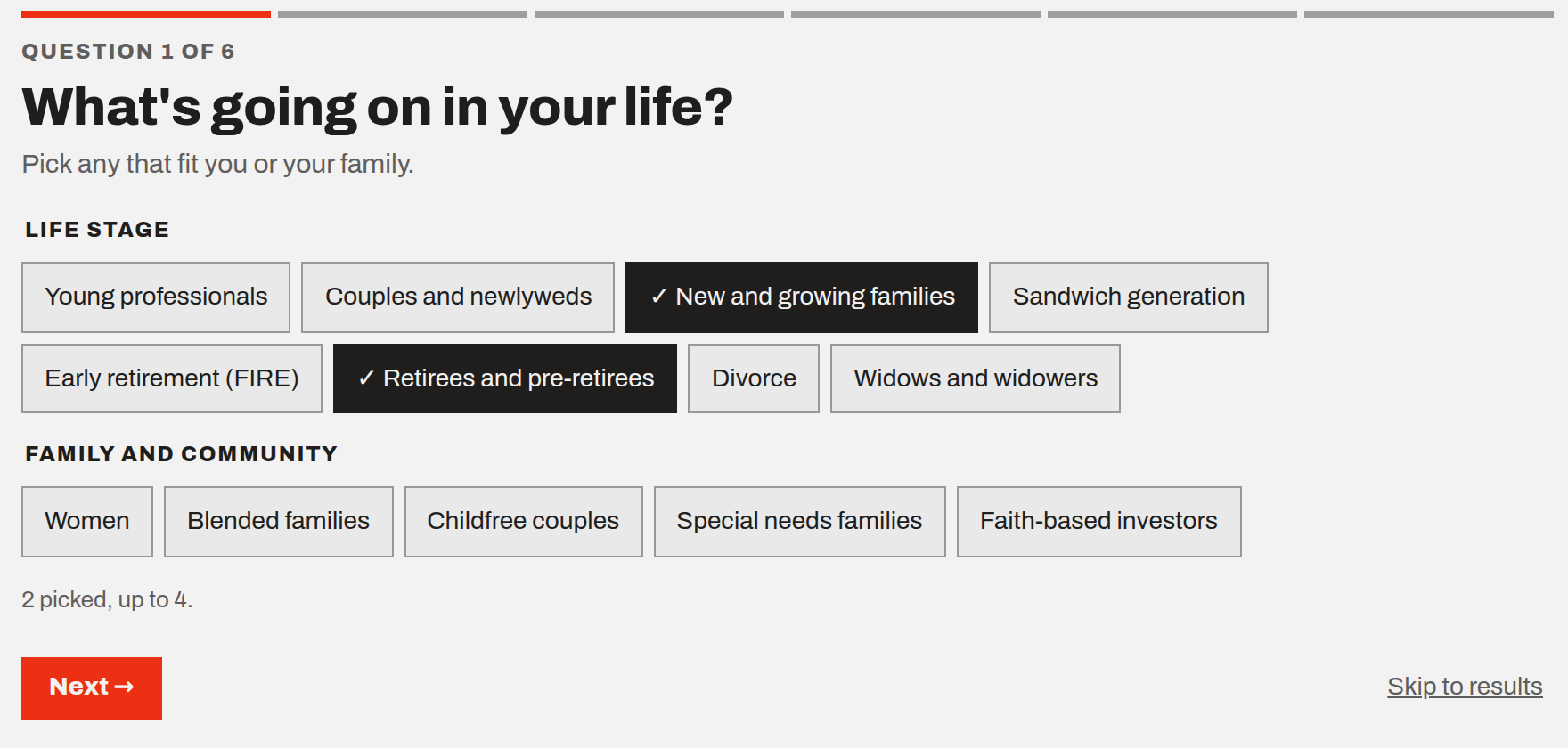 | 1 | What’s going on in your life? | 2 | What do you do for work? (and where, optionally) | 3 | What would you like help with? | 4 | How would you like to pay? | 5 | Where are you? | 6 | When are you looking to start? |
| 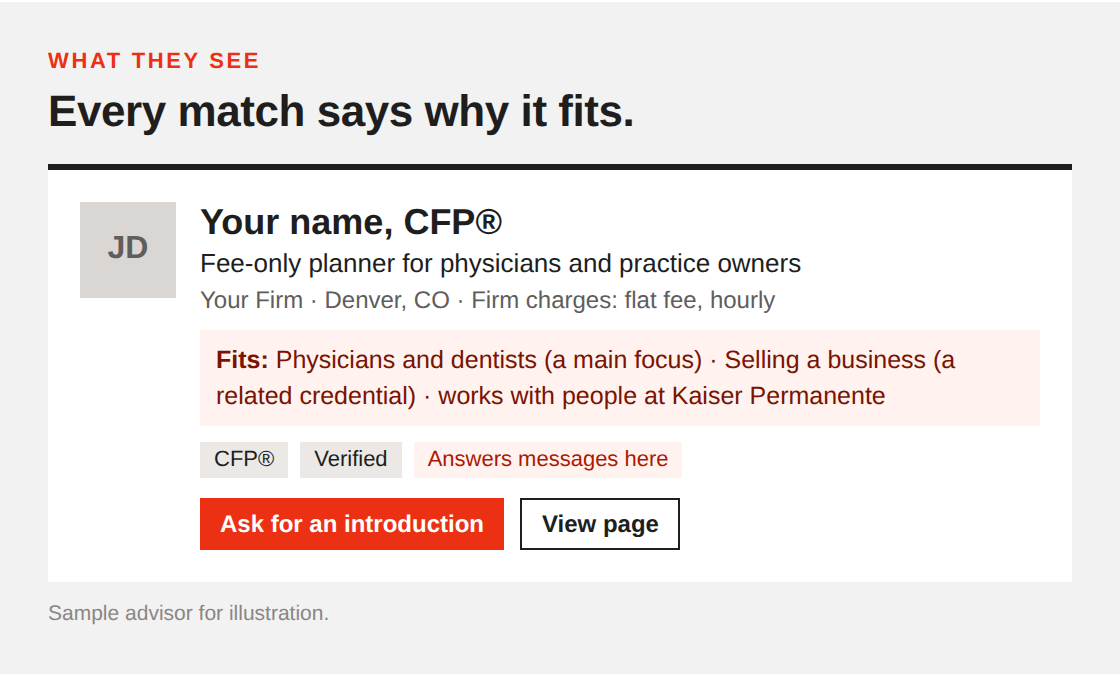 | How matching decides who comes firstAdvisors are sorted by how much of a person’s answers their page fits. Niches you pick yourself count most, especially your main focus. Then credentials, then what’s written on your page. Listing someone’s employer counts as much as a main focus, and being in their state counts too. | 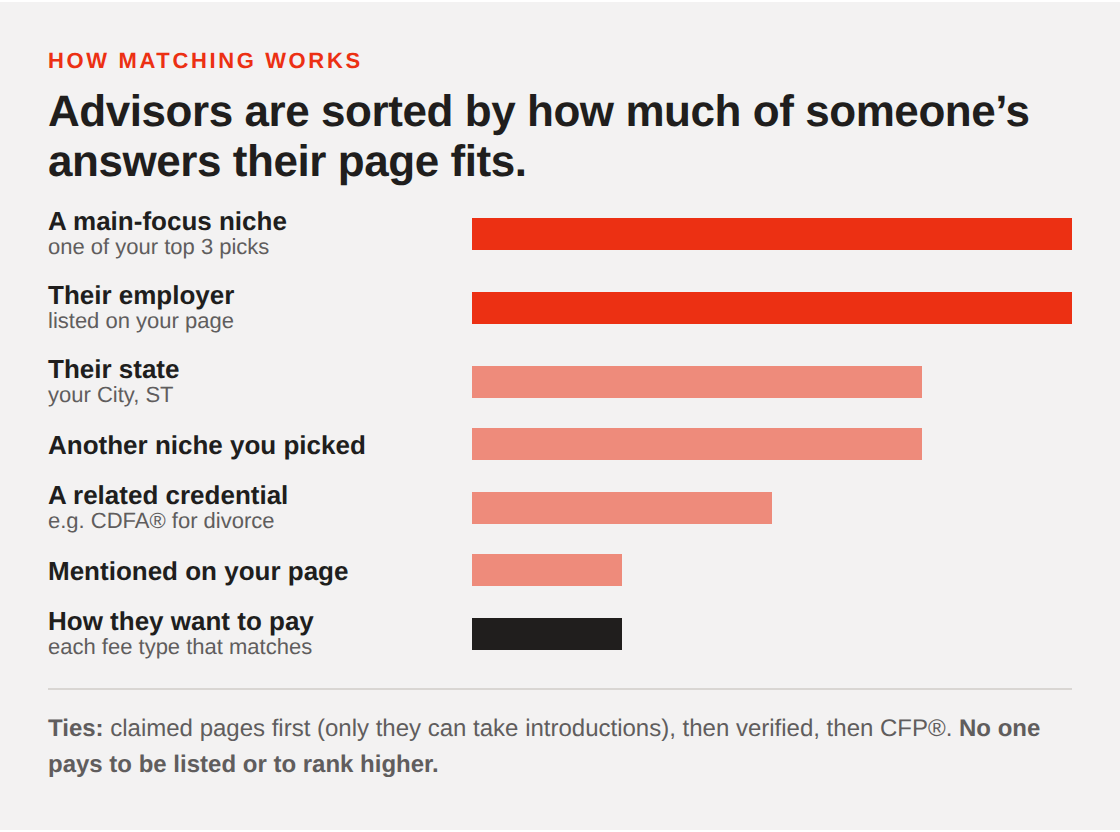 | Free introductions, straight to your inboxPeople can ask to be introduced to up to three advisors. Nothing is sent until they confirm by email. Then you get their answers, their note and their email address, and you just reply. Introductions go only to advisors who’ve claimed their page and have messages turned on. | 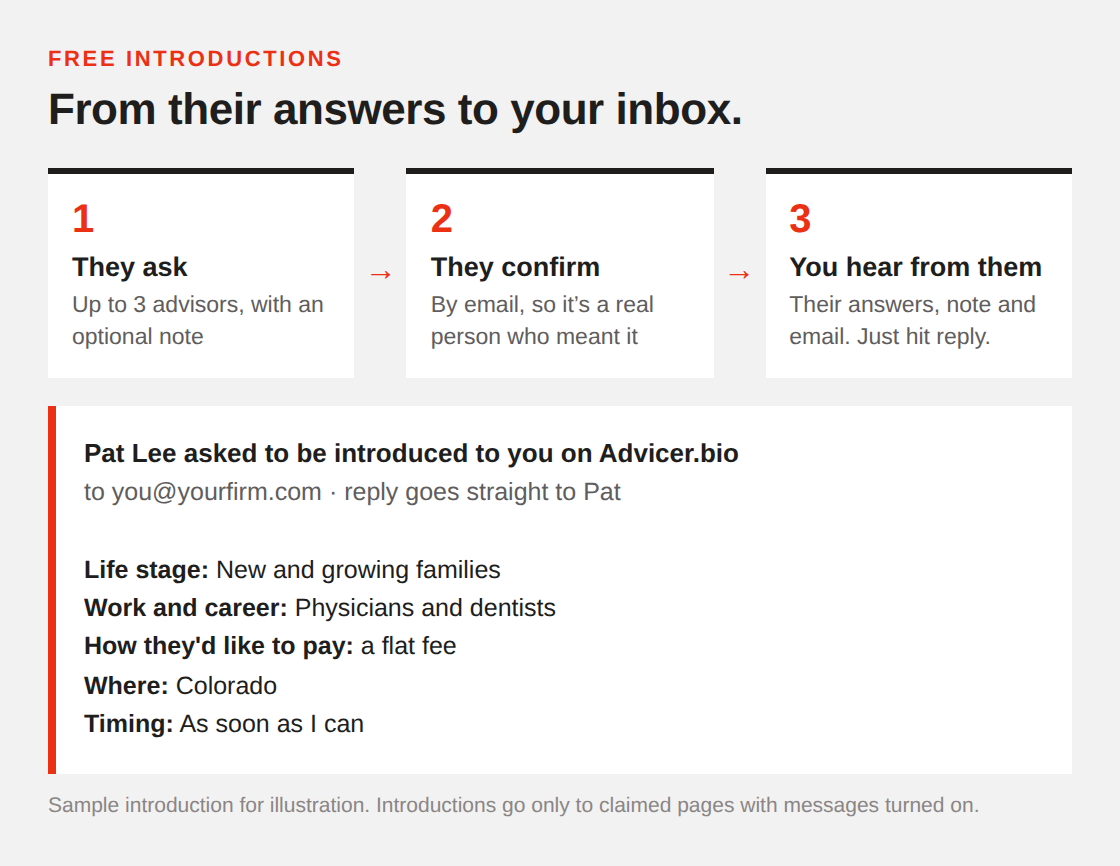 | Two minutes in your editorAll of this runs on what your page says. Open your editor and go to Who I work with: | 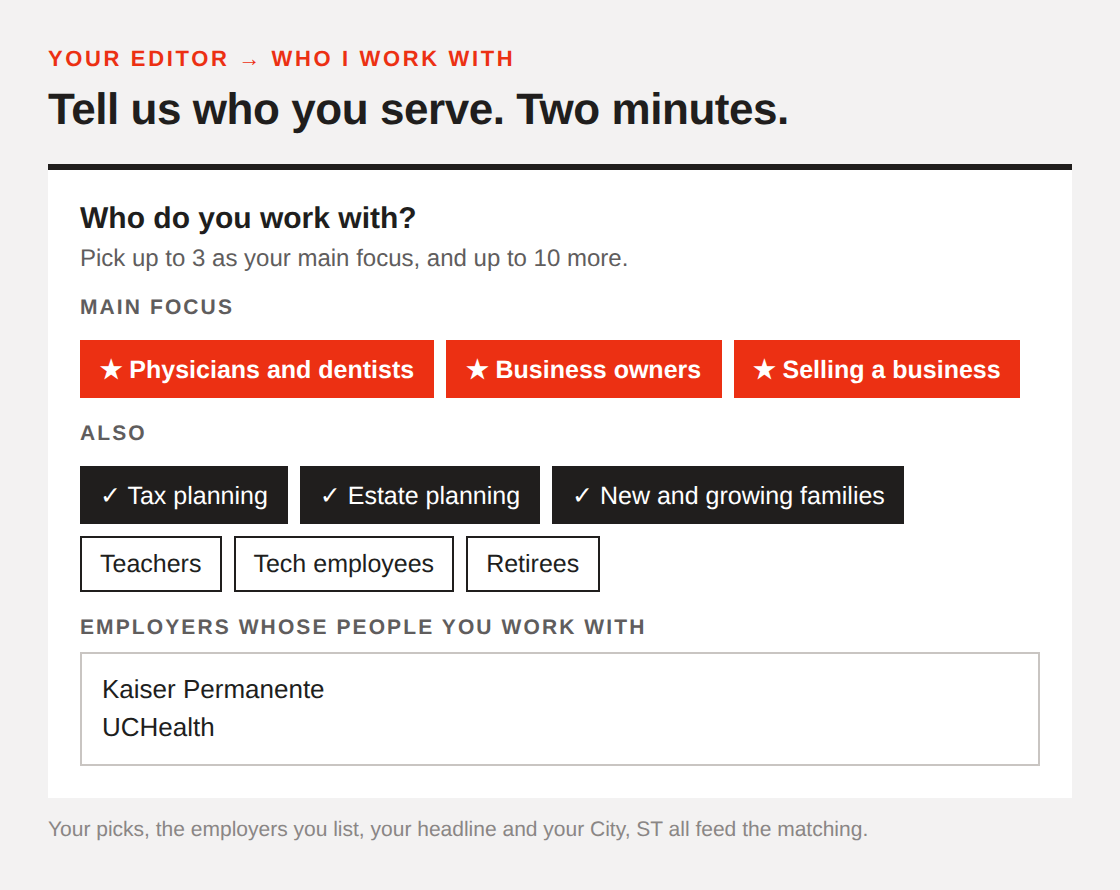 | 1 | Pick who you work with. Up to 3 as your main focus, and up to 10 more. | 2 | List employers whose people you serve, up to 10. | 3 | Say who you help in your headline. “Fee-only CFP® helping physicians in Denver” beats “Financial Advisor.” | 4 | Set your City, ST under About, so people near you see you first. | 5 | Keep messages on under Email & messages, so you can get introductions. |
| Haven’t claimed your page yet? You probably already have one, built from SEC records. Find it and claim it free. | See who looked for youYour Page stats now show how often you came up in Find your fit, and how many people viewed and asked for your niches. Your Monday email has the same numbers. | 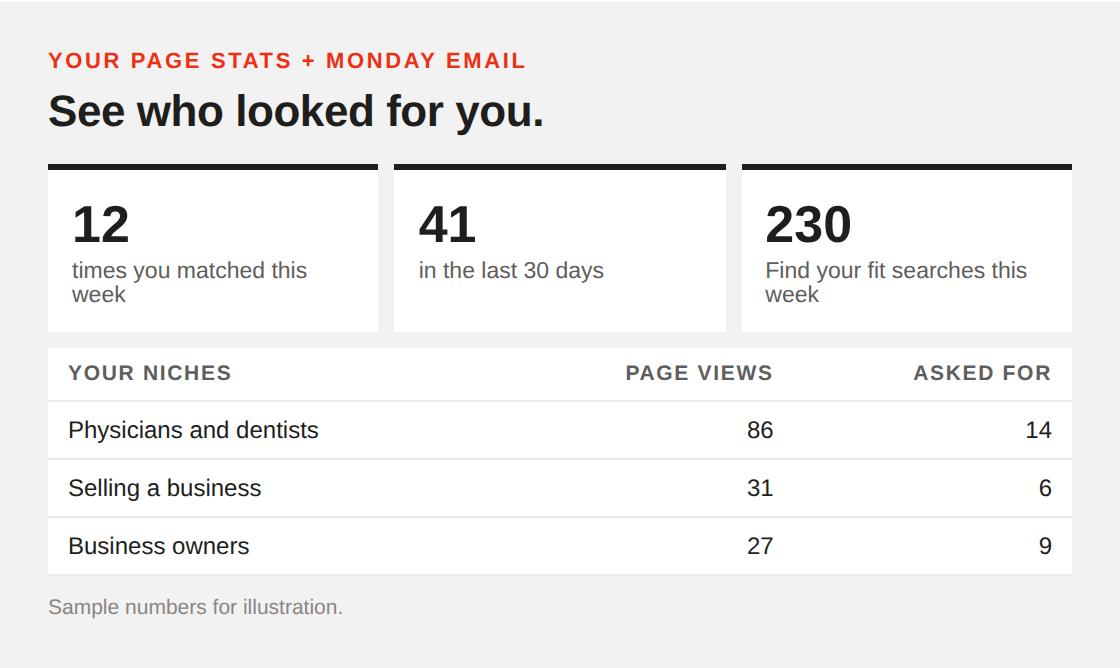 | One more thing: there’s a “Find me on Advicer.bio” badge for your website and email signature, under Settings in your editor. Visits it sends show up in your Page stats too. | No one pays to be listed or to rank higher, and introductions are free. The advisors who come up first are the ones whose pages say they work with people like the person searching. Joe
Advicer.bio | |
|
|
|